ADP Lyric · Enterprise HR
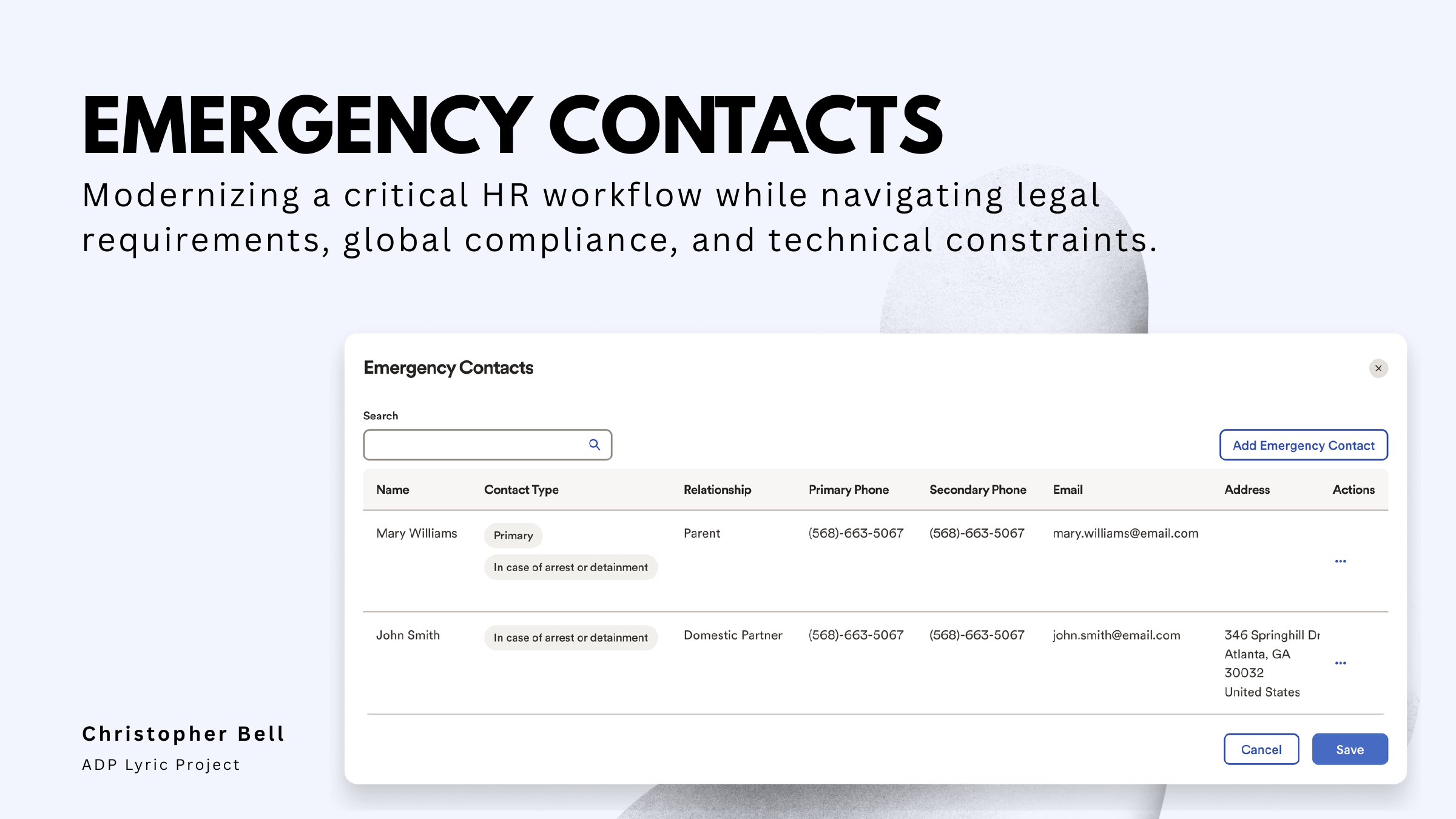
Emergency Contacts
Modernizing a critical HR workflow while navigating legal requirements, global compliance, and technical constraints.
Project starting point
A simple request that wasn’t simple.
The request sounded straightforward: add fields and phone types to the emergency-contact experience.
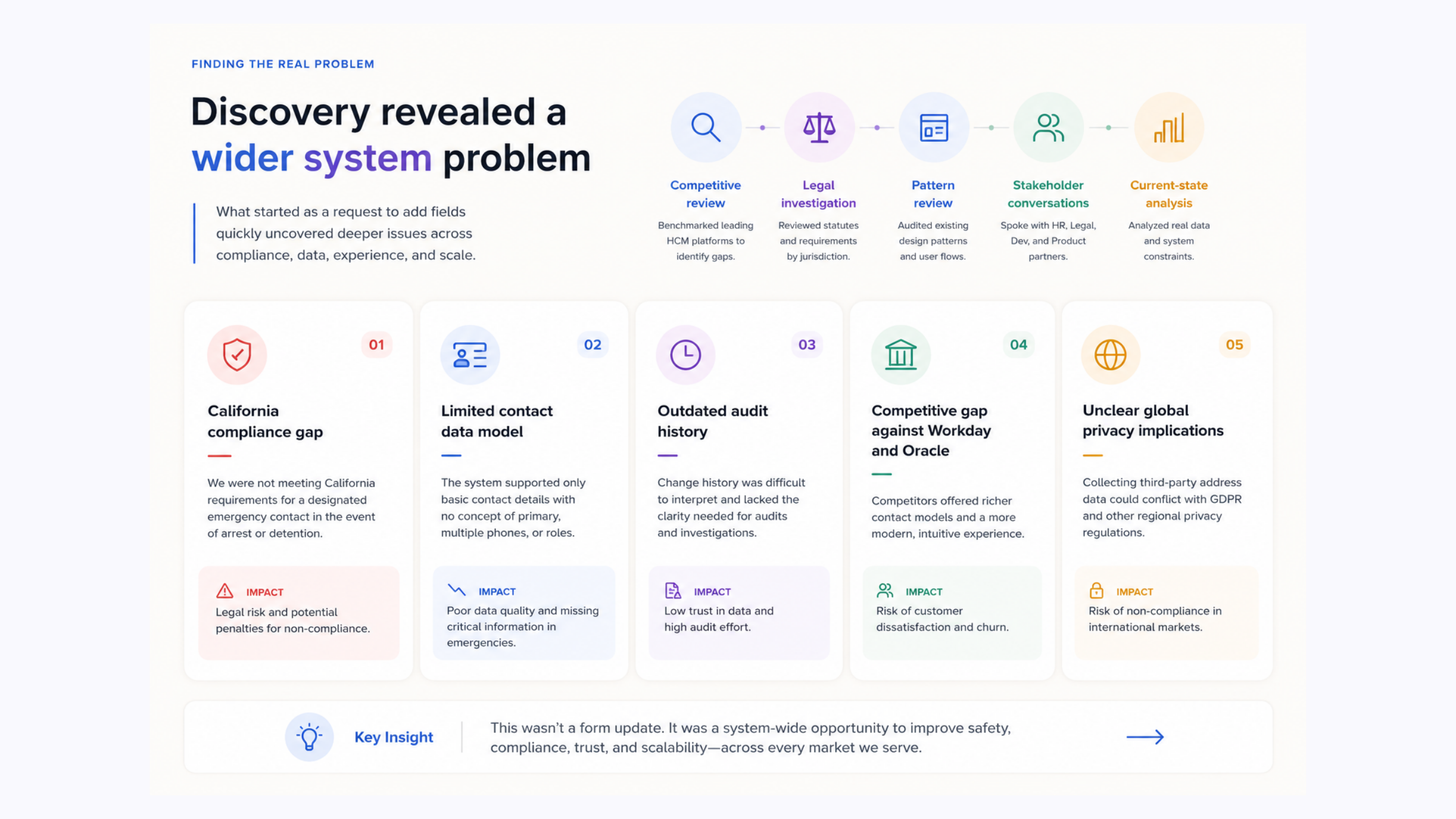
Discovery revealed a wider systems problem involving compliance, auditability, global privacy, customer data, and technical upload constraints.
Discovery
The form was only the visible layer.
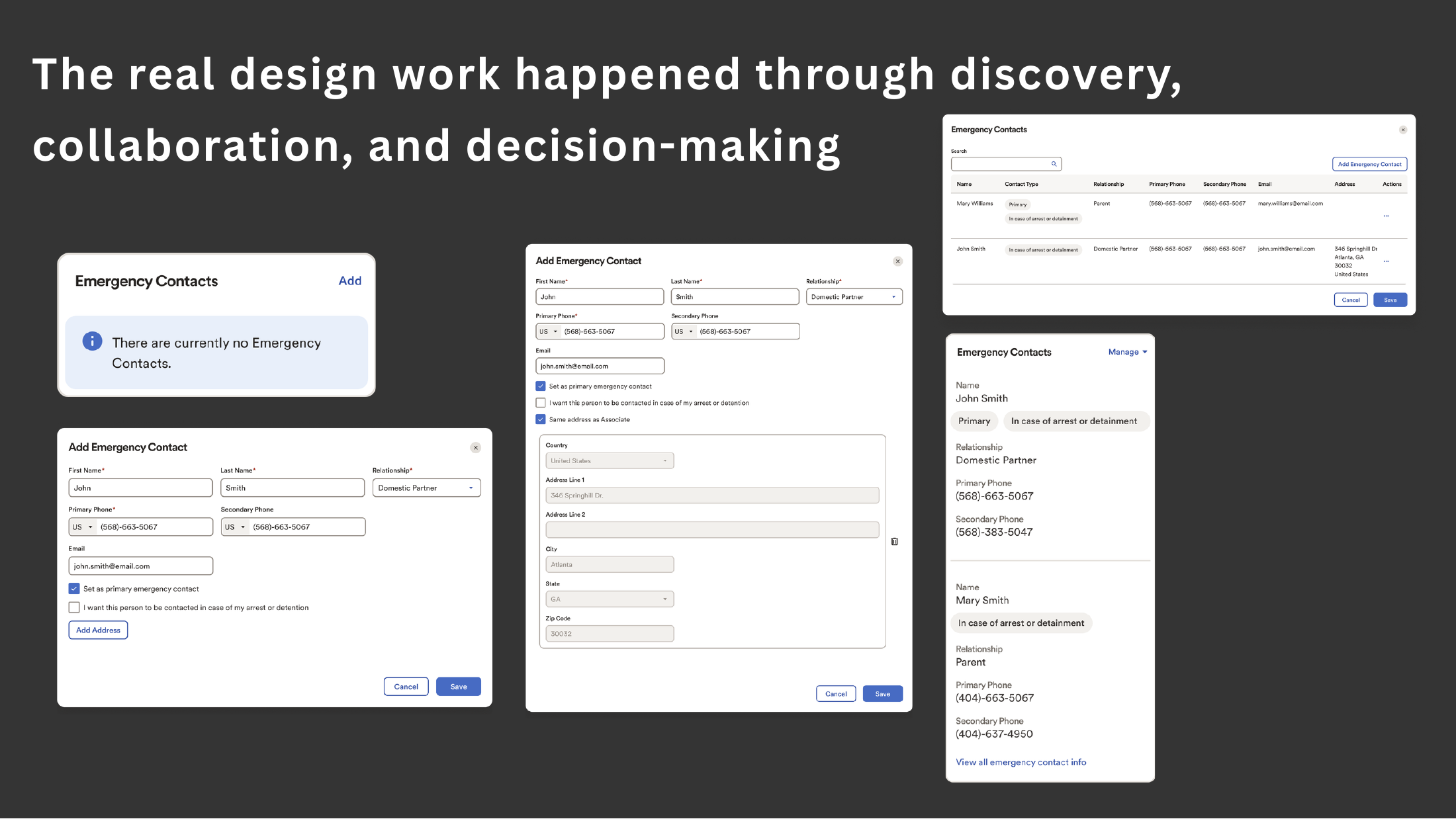
What began as a field request became a redesign of the data model, hierarchy, compliance logic, audit history, and administrative workflow.
Design decision 01
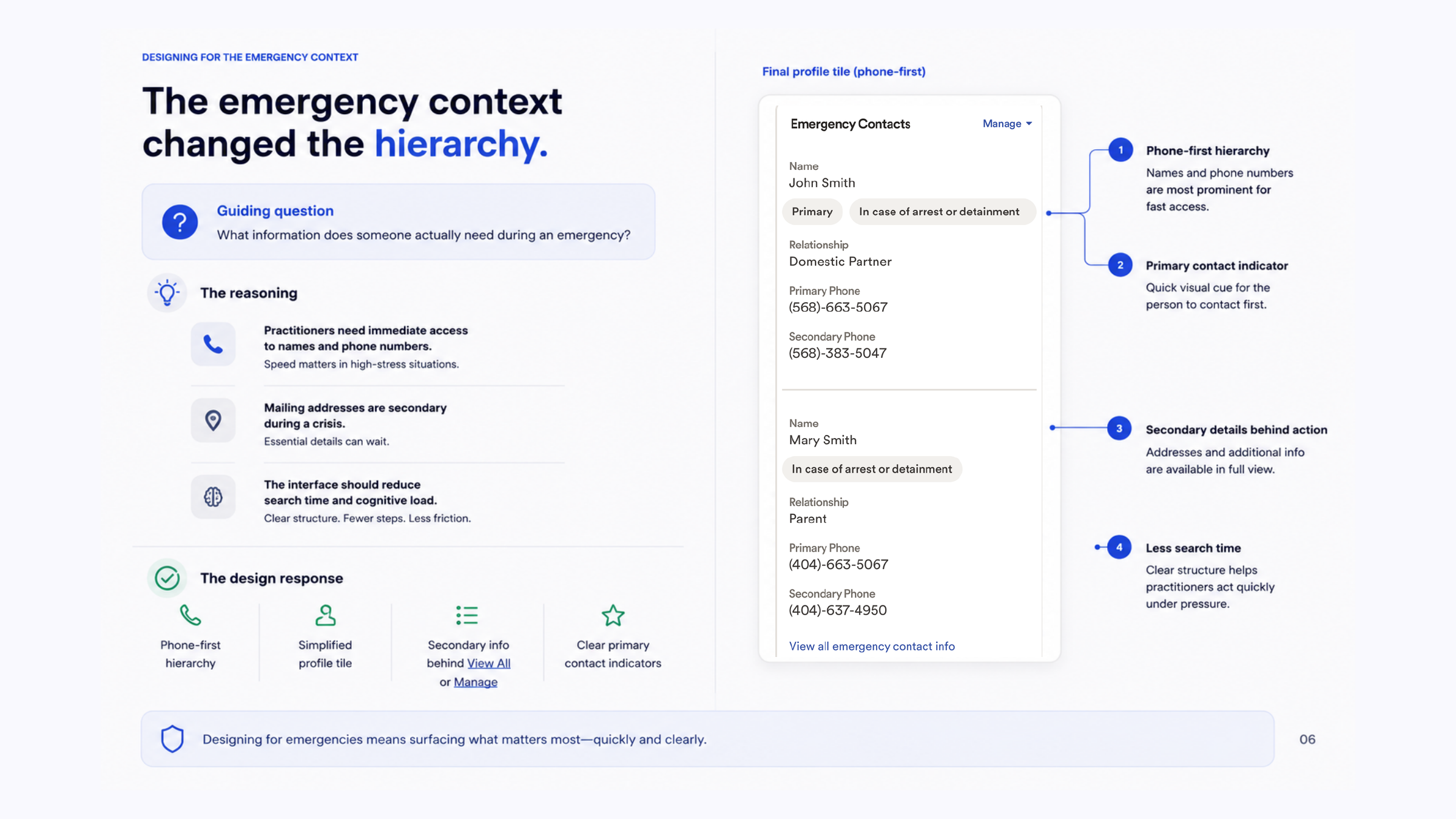
Make the emergency action unmistakable.
The hierarchy shifted around the moment of need. Phone numbers became the primary information, the relationship stayed close by, and secondary details remained available without competing for attention.
- Phone-first hierarchy
- Relationship visible at a glance
- Secondary details available without clutter
Design decision 02
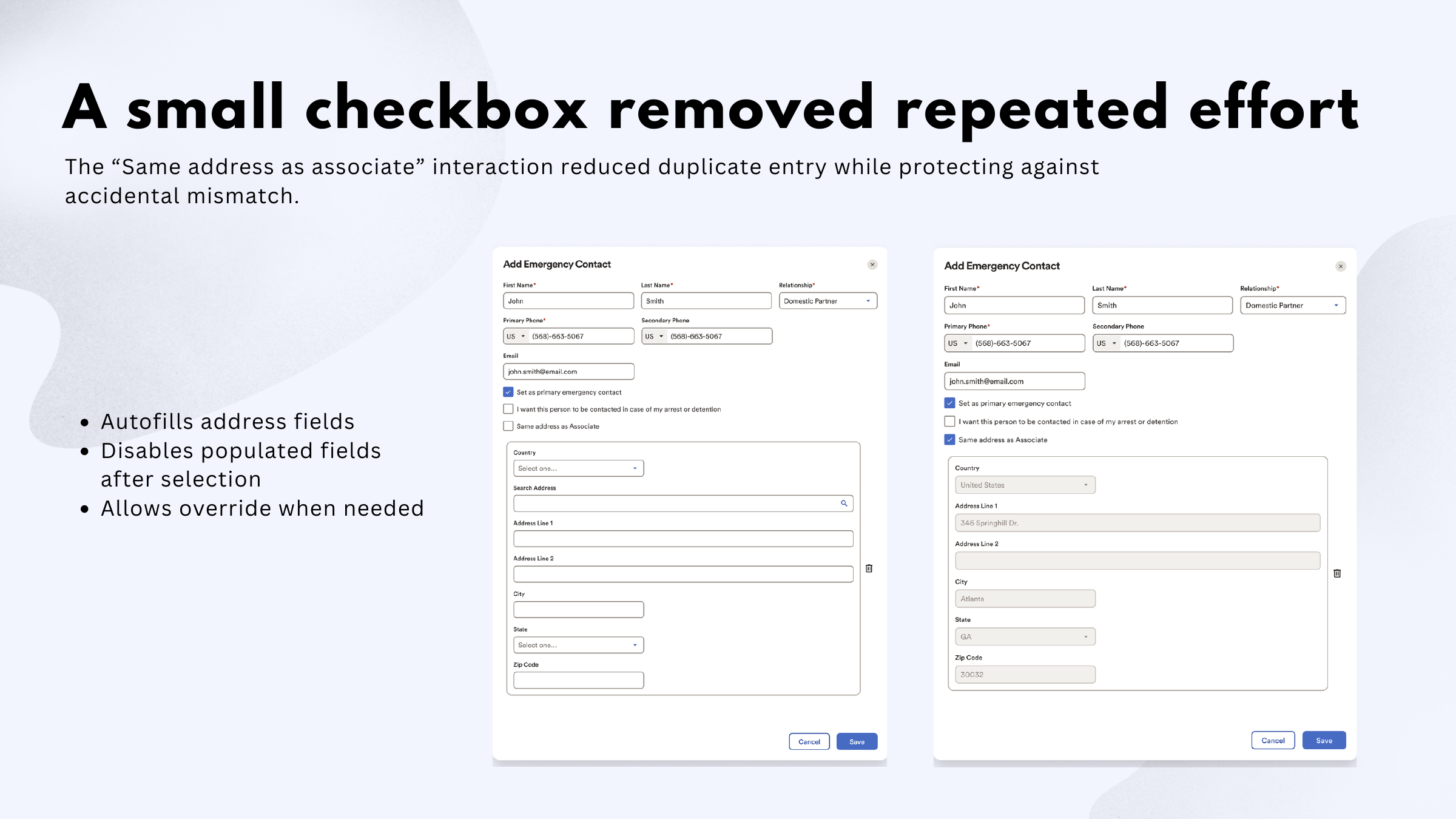
Remove repeated effort without hiding control.
A small “Same address as associate” interaction removed duplicate entry while protecting against accidental mismatch.
- Autofills the address
- Disables populated fields after selection
- Allows an override when needed
Design decision 03
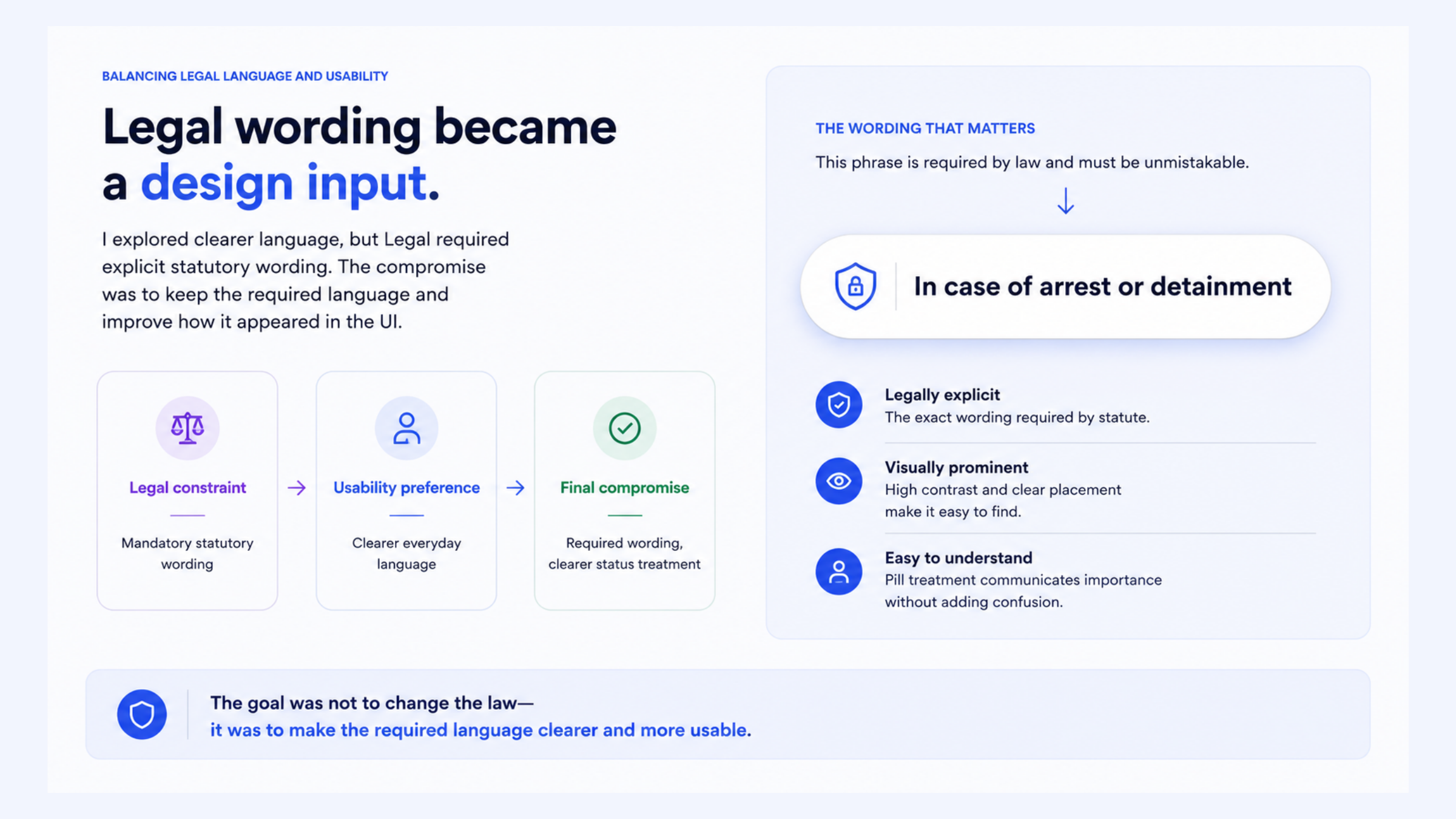
Turn compliance into understandable product behavior.
Legal language, audit history, and regional privacy rules were treated as interaction inputs. The goal was to preserve required meaning while reducing interpretation work for HR teams.
Keep the law intact. Make the experience clearer.
Evidence changed the architecture
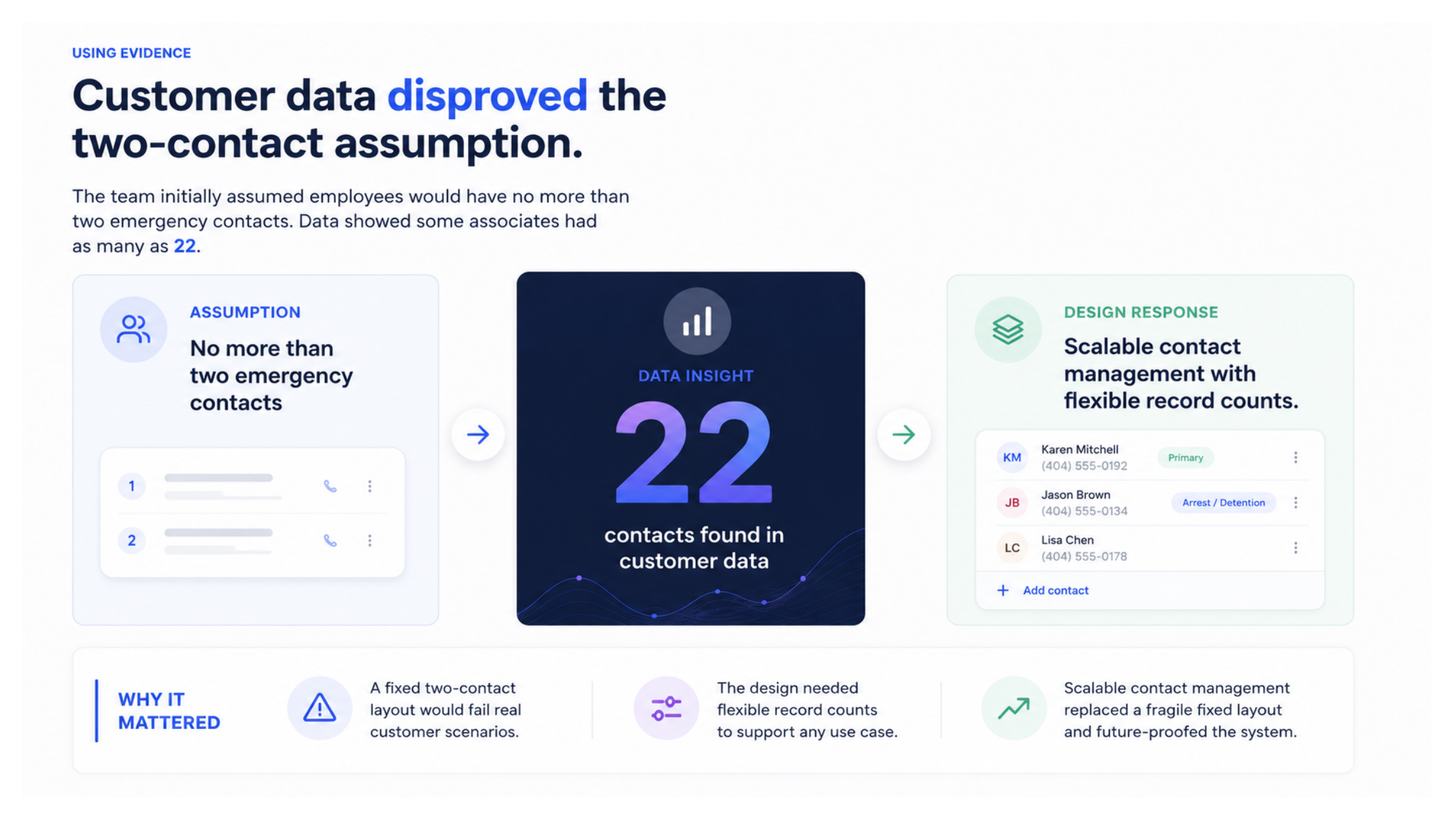
Real customer data disproved a core assumption.
The team assumed employees would have no more than two emergency contacts. Customer data showed some associates had as many as 22.
Cross-functional leadership
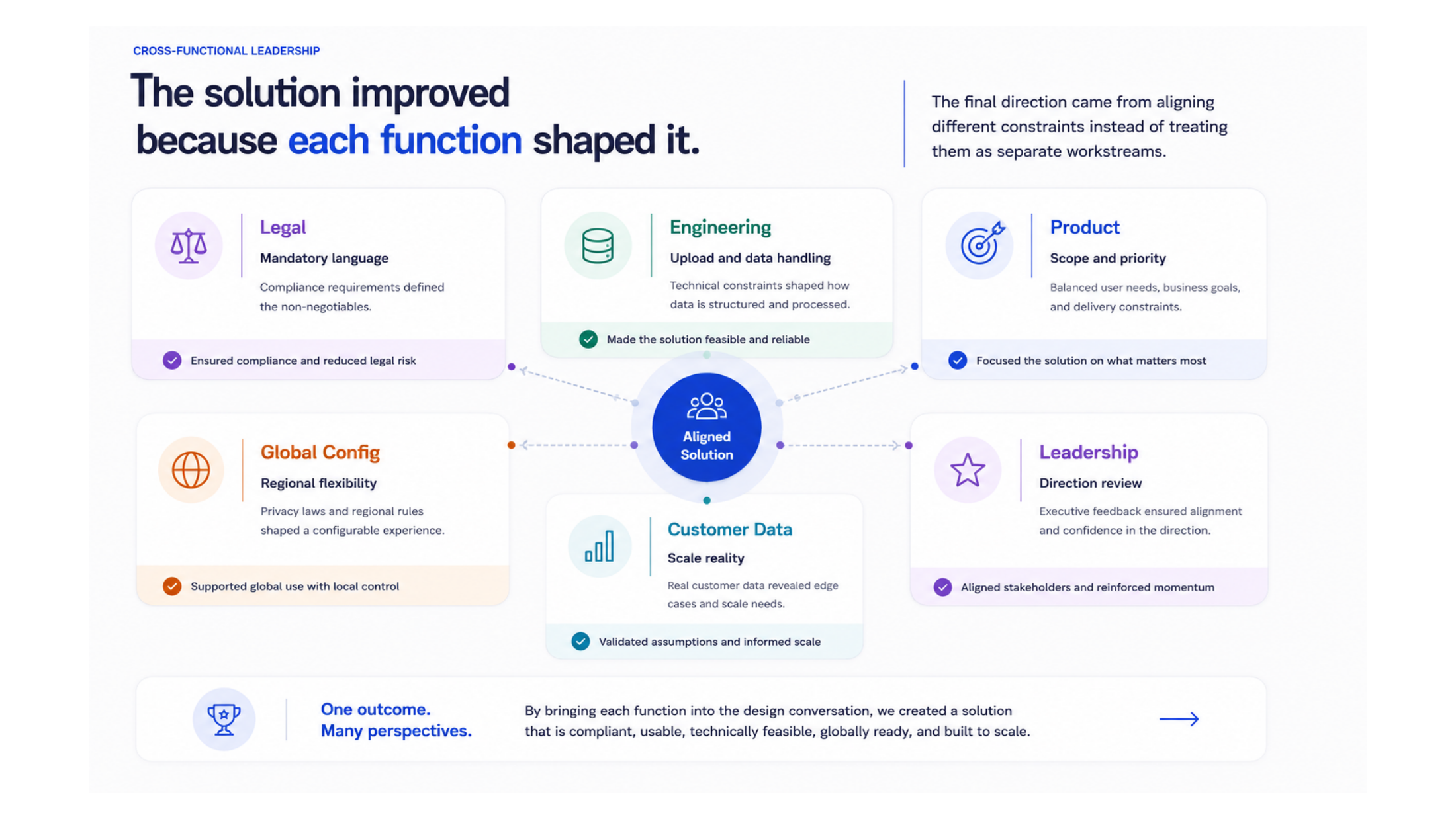
The solution improved because each function shaped it.
Legal defined mandatory language. Engineering validated upload and data handling. Product narrowed the scope. Global Configuration clarified regional behavior. Customer data changed the scale. Leadership aligned the final direction.
This was not consensus for its own sake. Each partner closed a different risk in the experience.
Outcomes
Confirmed progress, without overstating impact.
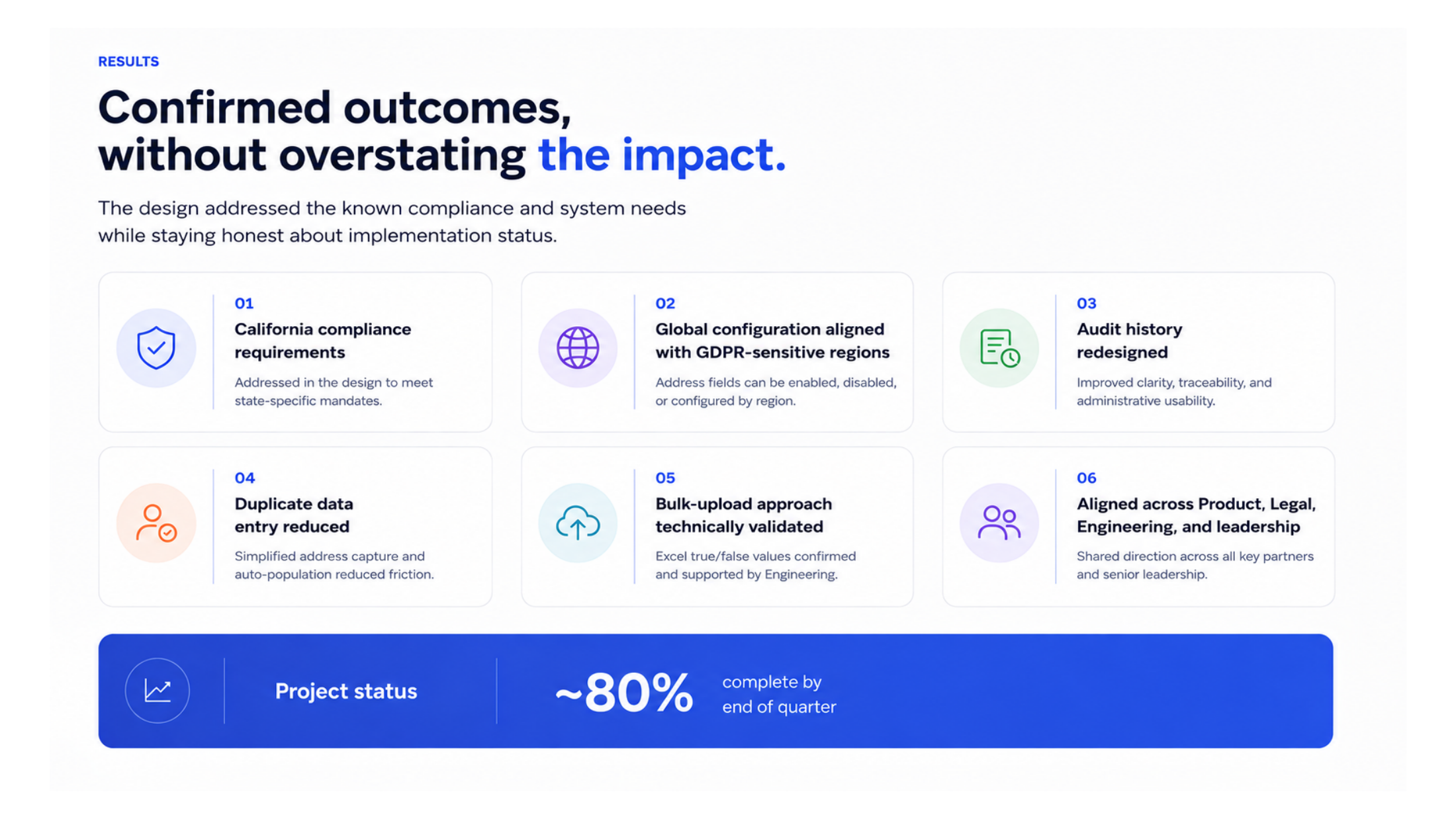
The design addressed the known compliance and system needs while staying honest about implementation status.
California compliance
State-specific requirements were represented in the design.
Global configuration
Behavior was aligned with GDPR-sensitive regions.
Audit history
Clarity, traceability, and administrative review improved.
Less duplicate entry
Repeated address capture was reduced.
Validated bulk upload
The approach was confirmed with Engineering.
Shared direction
Product, Legal, Engineering, and leadership aligned.
Reflection
Strong UX is often the work before the screen.
Strong UX is not only about improving screens. It is about reducing confusion, challenging assumptions, aligning people with different constraints, and creating a solution that works in the real world.